
Mojify: AI Emoji Maker
TurnaWorks Ltd.Communication
4.54.00 Reviews
- Version
- 1.5.0
- Installs
- 10.00K
- Age Rating
- Teen
Screenshots
Our Review of Mojify: AI Emoji Maker
 Analysis by Appyee
I opened Mojify: AI Emoji Maker expecting a quick way to turn an idea into a playful image, but its real appeal became clearer in a shared household. One person can imagine a funny reaction, another can suggest a variation, and the result can be used in a conversation without needing to explain the joke in a long message. That makes this free communication app from TurnaWorks Ltd. more interesting than a simple novelty tool.
The store summary describes it as an image playground for Genmoji, while the short description reduces the idea to “Mojify.” In practice, I see it as a creative layer for messaging rather than a replacement for a full chat app, sticker library, or professional image editor. It is most enjoyable when I already know the person receiving the image and can tailor the result to an inside joke, a family moment, or a quick reaction.
How Mojify fits into everyday communication
The strongest use case is casual coordination. Imagine a household trying to decide who will pick up dinner. A plain “I’m on my way” works, but a playful generated image can make the exchange warmer, especially when the conversation has already become repetitive. I could also see it helping with small moments such as celebrating a completed chore, reacting to a pet’s behavior, or sending a silly image to someone who needs cheering up.
That does not mean every message needs an AI-made image. The app works best when the visual adds personality instead of slowing down a simple exchange. If I only need to say that I am late, a normal message remains faster. Mojify earns its place when the image itself carries the mood: exaggerated excitement, mock drama, affection, or a joke that would be awkward to describe with words.
For friends, the appeal is obvious, but shared-device use needs a little more thought. A tablet or phone used by several people can become a communal creativity station, with one person suggesting the idea and another choosing how it should look. That can be fun during a family gathering. It also means everyone should understand who is creating the image, who will receive it, and whether it represents a private joke or something suitable for a wider group.
I would not treat the app as a family messaging hub. Its purpose is image creation for communication, so coordination still happens through whatever chat service the household already uses. The useful workflow is simple: create something, review it, then decide where it belongs. That final pause matters because a funny image for one sibling may be confusing or embarrassing in a larger family conversation.
What the first session feels like
The concept is easy to understand, which is important for a household where not everyone wants to learn a complicated creative program. I could hand the device to someone and explain the basic idea without turning the activity into a tutorial. The playful framing also lowers the pressure to make something polished. A strange result can be part of the fun rather than a failure.
Still, I recommend beginning with a small experiment instead of immediately trying to create a perfect personal character. Think of a familiar reaction, a household object, or a harmless situation. This makes it easier to judge whether the generated style matches your taste and whether the result feels useful in your normal conversations.
One practical tip is to decide the recipient before creating the image. When I start with the person and the situation in mind, the result tends to have a clearer purpose. When I create random images first, I may end up with something amusing but difficult to use. That distinction is easy to miss because an image playground encourages browsing and experimentation.
Setup boundaries on a shared phone or tablet
Because the app is communication-focused, I would separate the creative session from the act of sending. On a shared device, this avoids the common mistake of creating something while another person is signed into a conversation and then sending it from the wrong context. The safest routine is to make the image, inspect it, and only then open the intended chat.
This is also a good reason to avoid leaving unfinished ideas where another household member could mistake them for approved messages. A parent, partner, or child may understand the image differently from the person who created it. Even without complicated settings, a clear household rule helps: the creator chooses the audience, and nobody sends another person’s creation without asking.
At home, I would keep the app on a device that the intended users can access comfortably, but I would not assume that shared access creates separate personal spaces. If several people use one phone, the boundaries come from the way the household handles the device, not from treating the app like a private account manager. That makes the app convenient for group play, but less suitable for sensitive personal communication.
Another useful habit is to review images for accidental context. A generated picture might include an idea that looks harmless to the creator but could be misunderstood by a teacher, colleague, relative, or group chat. The app is designed for playful communication, yet the destination still determines whether an image is appropriate. I would be especially careful when a child wants to send something to an adult outside the household.
Keeping creation and coordination separate
Mojify can make a conversation more expressive, but it does not remove the need for ordinary planning. If a family is coordinating school pickup, shopping, or travel, I would use text for the actual details and the image as a friendly layer around them. Important information should remain explicit rather than being hidden inside a visual joke.
This separation is one of the app’s most useful trade-offs. The image can make a routine exchange feel personal, but it should not become the only record of what everyone agreed to do. In my experience, creative communication works best when it supports clarity instead of competing with it.
A good household workflow is to let one person propose the idea, another person check the tone, and the sender make the final decision. That sounds formal for a playful app, but it prevents small misunderstandings. It is particularly helpful when a shared device is used by people of different ages or when one person is creating an image on behalf of someone else.
The app is also better for asynchronous creativity than for a fast group decision. If everyone is waiting for a yes-or-no answer, generating several images may add friction. If the family is already chatting casually, however, an image can keep the conversation lively. I would use it to enrich coordination, not to replace a direct answer.
Age, trust, and the audience for generated images
The content rating is Teen, so I would place it in the category of apps that deserve age-aware use rather than unrestricted access by very young children. That does not make it unsuitable for a family, but it does make supervision and conversation worthwhile. A child may understand how to create an image without fully understanding how quickly a shared image can travel beyond the original recipient.
Trust matters more than technical skill here. Before allowing shared use, I would explain that an image should not include private details, another person’s likeness used as a joke without permission, or a message intended to pressure someone. These are sensible communication rules, but an image-making tool can make them easier to overlook because the activity feels harmless.
I would also ask children to show an adult an image before sending it if the recipient is outside the family or if the joke involves a real person. That is not a criticism of Mojify specifically; it is a reasonable boundary for any creative communication tool. The app encourages expression, and expression needs context.
For adults, the same principle applies in a different way. A playful image can still be inappropriate at work, in a school-related conversation, or in a group where people do not share the same sense of humor. I found the app more rewarding when I treated the recipient’s expectations as part of the creative brief.
Privacy-minded users should also think carefully about what they choose to turn into an image. I would avoid using confidential information, personal documents, private disputes, or identifying details as creative prompts. Even when the intended result is a joke, sensitive material does not become harmless simply because it is presented playfully.
What makes the app worth trying
The main strength is its low barrier to playful visual communication. I do not need to be good at drawing, and I do not have to search through a generic sticker collection hoping to find the right reaction. The creative process starts with an idea, which gives the result more personal character than a standard emoji.
That makes it especially useful for people who communicate emotionally through images but find conventional emoji sets too limited. A household can develop its own informal language around recurring situations: a dramatic response to forgotten groceries, a celebratory image for finishing a task, or a deliberately ridiculous reaction to a family story.
The app also has value as a conversation starter. Someone who normally sends short replies may find it easier to participate by suggesting an image. A child and parent can collaborate on an idea without turning the activity into a lesson. Friends can use the same concept to create reactions that feel more specific than a stock sticker.
My favorite non-obvious benefit is that the creation step can become the social activity. The final image is only part of the experience; deciding how to represent a shared memory or private joke can be more entertaining than sending the result. This is where the “playground” idea makes sense. It is not merely a button for producing a finished asset.
Where the experience can become frustrating
The same open-ended creativity that makes the app fun can also make it less efficient. If I have a precise visual in mind, I may spend time adjusting the idea instead of simply choosing an existing sticker. That is the central trade-off: Mojify offers personalization, while traditional emoji and sticker tools offer speed and predictability.
Generated images can also be harder to control than hand-selected symbols. A standard emoji has a known meaning. A custom image may be funny to its creator but ambiguous to the recipient. I would always inspect the result at normal viewing size and ask whether someone outside the original joke would understand the intended emotion.
Another limitation is that the app’s usefulness depends on how often I communicate visually. If my conversations are mostly practical, text, voice messages, or ordinary emoji may remain better choices. Mojify is not a universal replacement for those tools. It adds a creative option, and that option has the most value for people who enjoy experimenting.
The free price makes trying it easy, but the app includes in-app purchases ranging from $1.99 to $29.99 per item. I would not spend immediately. I would first see whether the free experience fits my habits and whether the household actually uses the creations after making them. On a shared device, I would also make sure everyone knows that optional purchases are not part of casual experimentation.
The current version is 1.5.0, and the app requires iOS 11 or later. That broad operating-system requirement makes it approachable for people using older compatible Apple devices, although the experience can still depend on the device being comfortable for image creation and sharing. I would check the device’s available space and general responsiveness before planning a group activity around it.
How it compares with familiar alternatives
Compared with the emoji keyboard, Mojify is slower but more expressive. The keyboard wins when I need an instant reaction that everyone recognizes. Mojify wins when I want the image to feel made for a particular person or situation.
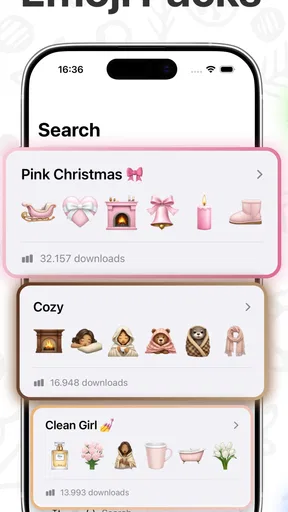
Compared with sticker packs, the difference is variety versus identity. A sticker pack is curated and consistent, so it is easy to browse and use repeatedly. Mojify is more personal because the idea begins with the user, but that also means the quality and usefulness of the result can vary from one attempt to the next.
Compared with a full image editor, it is less intimidating and better suited to casual communication. I would choose an editor for careful composition, retouching, or a design that needs exact control. I would choose Mojify for a quick visual joke, a playful response, or a shared household experiment where speed and personality matter more than precision.
Compared with a normal messaging app, it is complementary rather than competitive. The chat app remains the place for conversation, delivery, and coordination. Mojify contributes the custom visual element. If someone expects one application to manage every part of that process, the separation may feel inconvenient, but it also keeps the app’s purpose clear.
Who should use it and who should skip it
I would recommend trying it if you regularly send emoji, stickers, or reaction images and want something more tailored. It is also a good fit for friends or families who enjoy turning ordinary moments into small creative jokes. The app has enough personality to make a shared device session entertaining rather than purely functional.
I would be more cautious about recommending it to someone who wants exact artistic control, a professional design workflow, or a private space for sensitive content. Those users may be better served by a dedicated editor or a communication service with clearly separated personal accounts and conversations.
It is also not the right choice for households that need communication to stay extremely direct. If every extra image creates distraction, the app may become clutter rather than help. The best results come from using it selectively, with the text carrying important information and the image carrying mood or humor.
The Teen rating should guide family decisions, especially when a younger child is using a shared phone or tablet. I would introduce it as a supervised creative tool, agree on who may receive the images, and explain that sending is a separate decision from creating. Those boundaries preserve the fun without pretending that every visual joke is automatically harmless.
My household verdict
After using it as a communication companion rather than a standalone messenger, I found the app easiest to appreciate in short bursts. A quick shared idea can become a memorable reaction, and the creation process gives people something to do together. That is more valuable than simply having another collection of decorative images.
Its audience is reflected in its current reception: it holds a 4.5 average from over 600 ratings and has passed 10 thousand installs. Those figures suggest a modest but interested user base, and they fit my impression of the app as a focused creative tool rather than an essential communication platform.
I like that it is free to start, but I would treat the optional purchases carefully, particularly on a household device. The app is most convincing before spending: if the basic creative loop does not lead to images you would genuinely send, paid additions will not solve that mismatch.
My final recommendation is simple: try Mojify if your conversations benefit from custom humor and you are willing to review an image before sharing it. Use text for plans, keep personal boundaries clear, and let the visual creation add warmth instead of replacing clarity. For a shared household, that balance is the difference between a fun communication ritual and an unnecessary distraction.
Mojify: AI Emoji Maker is at its best when people create together, understand the audience, and use the result thoughtfully. I would keep it on the creative side of my communication toolkit, ready for the moments when a normal emoji feels too ordinary but a full image-editing workflow would be far too much.
Verdict
Strengths of Mojify: AI Emoji Maker
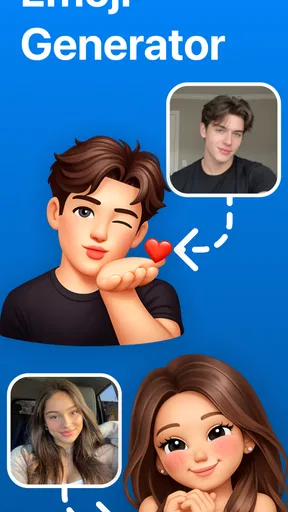
- Creates personalized emojis from selfies and text prompts.
- Offers many styles, expressions, and customization options.
- Simple interface makes emoji creation quick for beginners.
- Useful for adding personality to chats and social media posts.
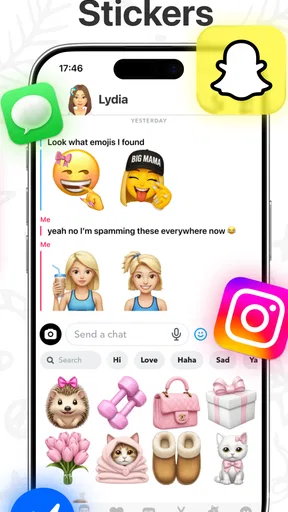
- Generated designs can be saved and shared easily.
Limitations of Mojify: AI Emoji Maker
- Some advanced styles or features may require a subscription.
- AI results can vary and may not resemble the original photo closely.
- Requires internet access for most generation features.
- Privacy concerns may arise when uploading personal photos.
- Large emoji packs can consume noticeable storage space.
Similar Picks in This Category
View All
Google Messages
Google LLC4.6

Gmail
Google LLC4.1

Google Meet
Google LLC4.4

Google Chrome
Google LLC4.1

WhatsApp Messenger
WhatsApp LLC4.6

Carrier Services
Google LLC4.2
Frequently Asked Questions
What is Mojify: AI Emoji Maker, and what can I create with it?
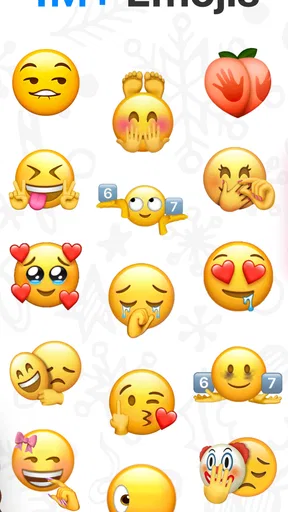
Mojify: AI Emoji Maker is designed for creating personalized emojis, stickers, and expressive character images with the help of artificial intelligence. After testing its main features, the app feels aimed at users who want to turn ideas, facial expressions, or personal photos into shareable visual content. Depending on the available tools and subscription plan, you may be able to customize styles, emotions, colors, and designs before saving or sharing your creations.
Is Mojify: AI Emoji Maker free to download and use?
The app may be free to download, but some of its creative tools, styles, generation limits, or export options can require in-app purchases or a subscription. Before starting a trial, carefully check the pricing page, renewal terms, and cancellation instructions shown in the app store. Free access may also include advertisements, limited daily creations, watermarks, or restrictions on premium emoji packs and AI features.
Does Mojify use artificial intelligence to generate emojis from photos or text?
Mojify’s main appeal is its AI-assisted creation process, which can help transform prompts, concepts, or uploaded images into emoji-style artwork. Results can vary depending on the quality of the photo, the wording of your prompt, and the selected visual style. It is best to use clear images and provide specific descriptions, while remembering that generated results may occasionally look different from what you originally requested.
Is my personal data or photo safe when using Mojify?
Before uploading selfies, portraits, or other personal images, review Mojify’s privacy policy and the permissions requested by the application. AI image services may process content on remote servers, and their retention, deletion, and usage practices can differ. Avoid uploading sensitive photographs, identification documents, or images of other people without permission. Also check whether the app allows you to delete uploaded content or account data.
Can I share Mojify creations on messaging apps and social media?
Created emojis and stickers are generally intended for saving and sharing through messaging platforms or social networks, although the exact export options may depend on your device and the app version. You may be able to use the system share menu, save images to your gallery, or copy designs directly into supported conversations. Check image format, resolution, watermarks, and usage rights before using creations commercially or in public projects.
